
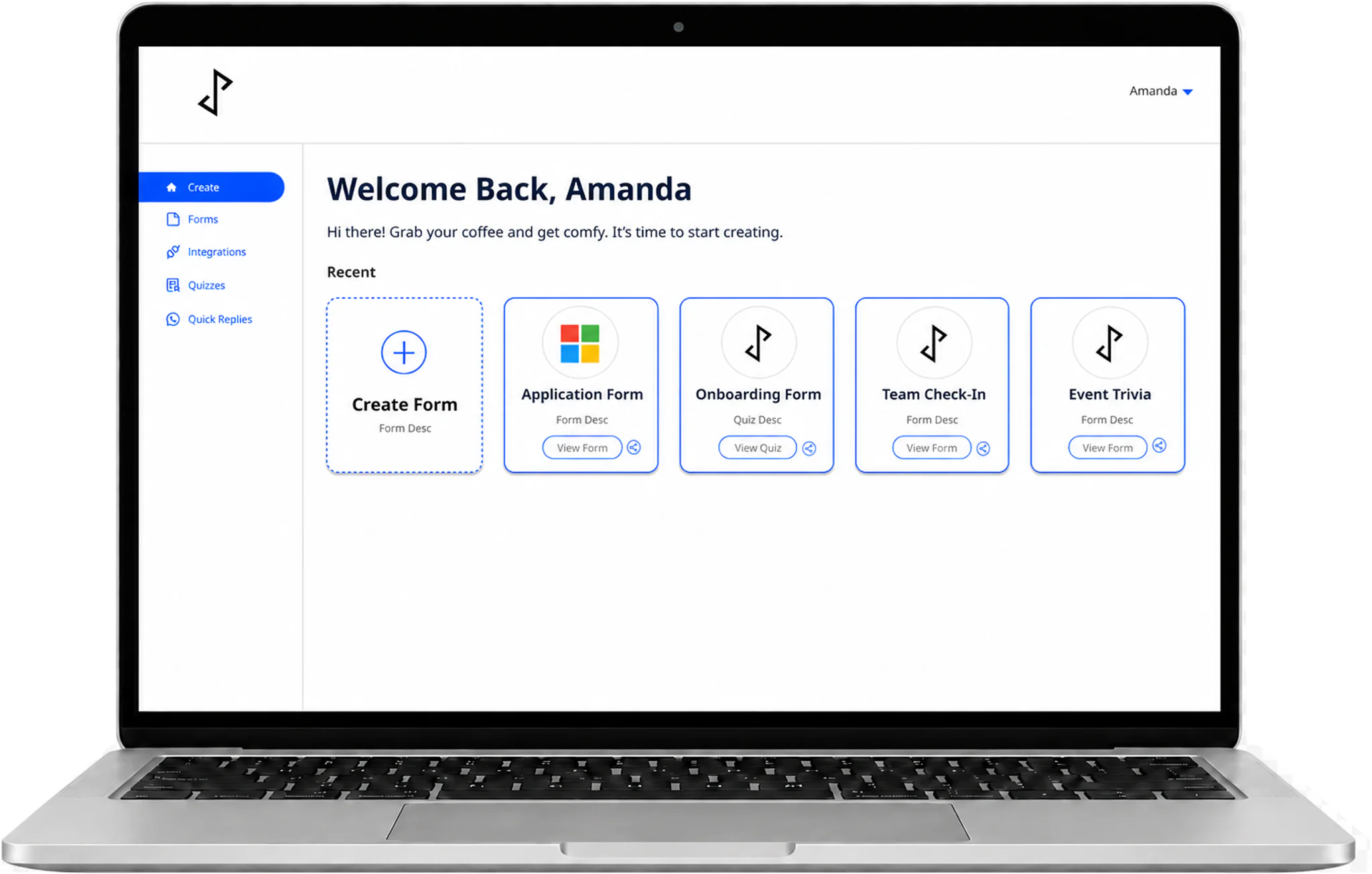

Designing the foundations of a no-code WhatsApp form builder
JoyForm is a no-code platform that helps businesses create interactive forms, share them through WhatsApp and other channels, and receive response notifications directly in WhatsApp.
During a one-year internship at JoyfulPerson, I owned JoyForm’s product design end to end — working closely with the CTO and engineering team to turn what engineers had already built into a coherent product as requirements evolved.
My scope
As JoyfulPerson’s first dedicated designer, I took over an engineering-led console — built on developer templates and heavy custom JavaScript — and redesigned it into a clearer product experience. I mapped and refined end-to-end flows, designed and prototyped across desktop and mobile, defined JoyForm’s colour palette, typography and visual guidelines, introduced lightweight usability testing, and prepared annotated designs for engineering handoff.
Scope of work
- User flows
- UI design
- Prototyping
- Responsive design
- UI guidelines and reusable patterns
- UX research
- Developer handoff
“Amanda is a designer who is able to exercise her creative expression with a huge consideration for engineering, which is a skill that is very rare for junior designers.”
Recommendation letter, April 2023 · Excerpt lightly edited for clarity.View recommendation letter (PDF, opens in a new tab)
The challenge
A growing product without a shared design foundation
When I joined, JoyForm had no dedicated UX practice. Screens followed developer templates, workflows were still being defined, and there were no shared visual guidelines or usability testing. As features were added, creating, sharing and reviewing a form felt like separate tasks, related screens handled similar actions differently, and screens weren’t adapted for smaller devices.
How might we make JoyForm's core workflows easier to understand across desktop and mobile while creating a foundation the team could continue building on?
EXISTING PRODUCT
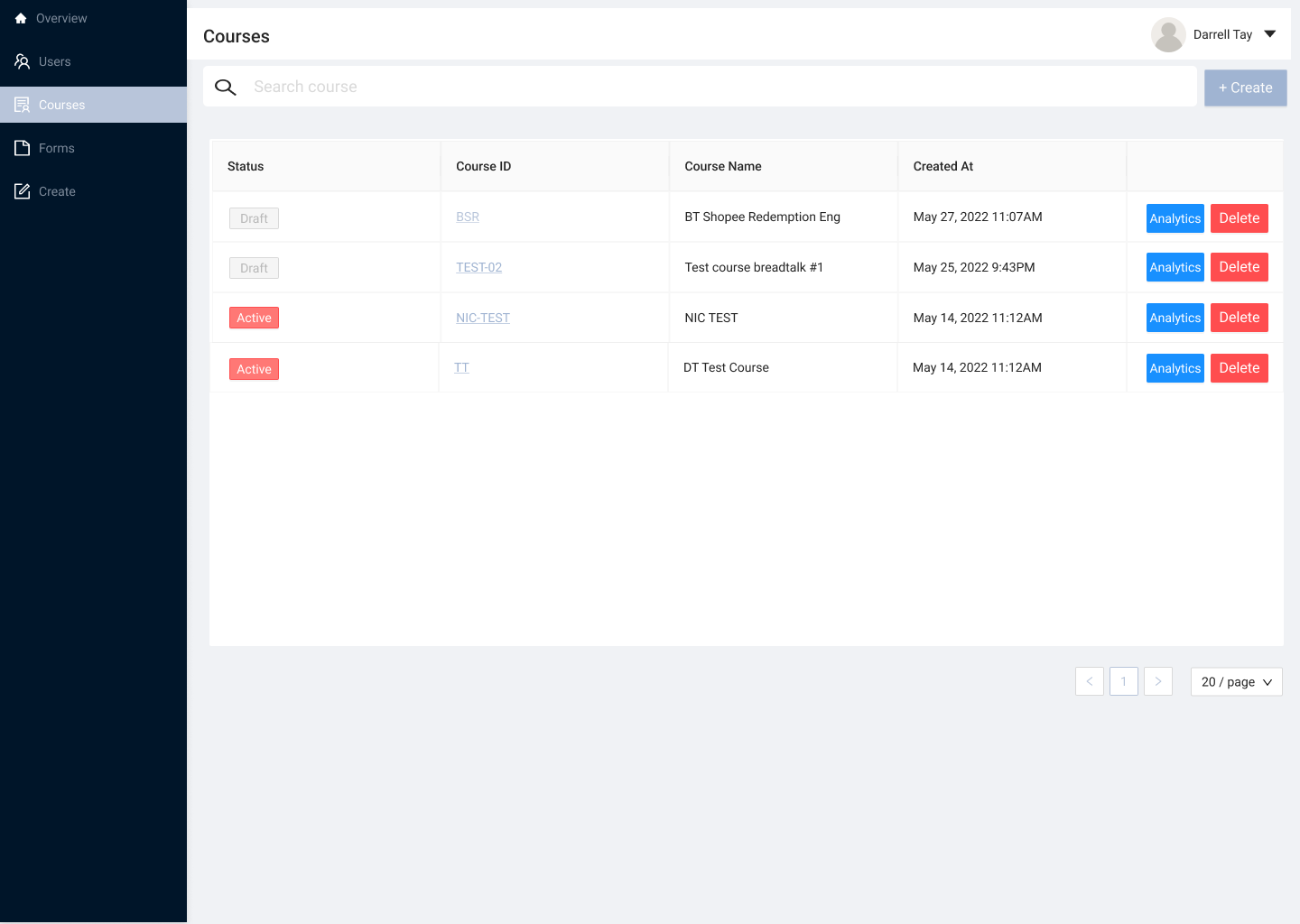
These screens show the console before I joined. Much of it was built around courses — question sets sent to enrolled employees and shared by QR code or WhatsApp link — which is why they show courses rather than forms. They were my starting point for a redesign organised around form and quiz creation.
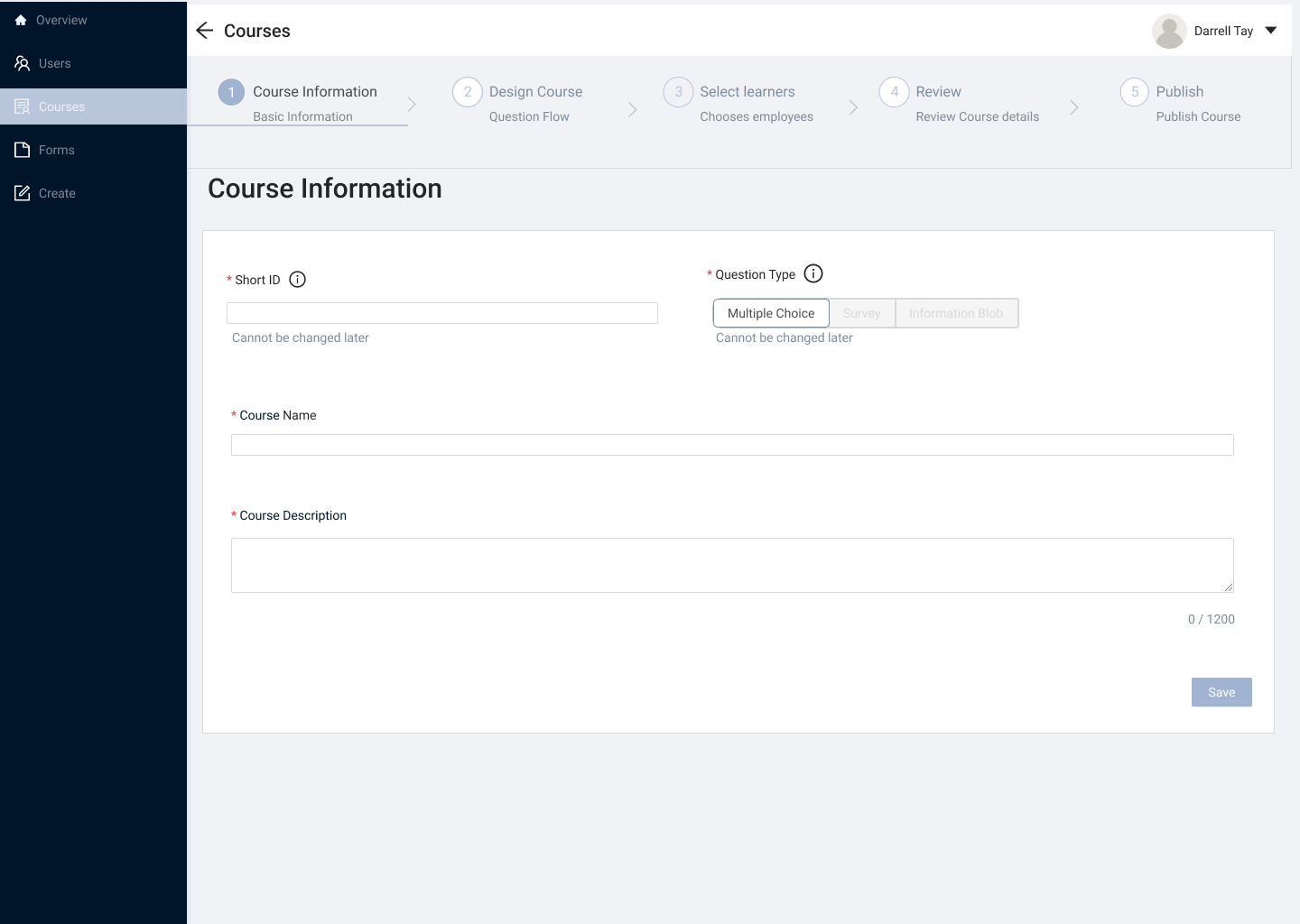
Course library — slide 1 of 9
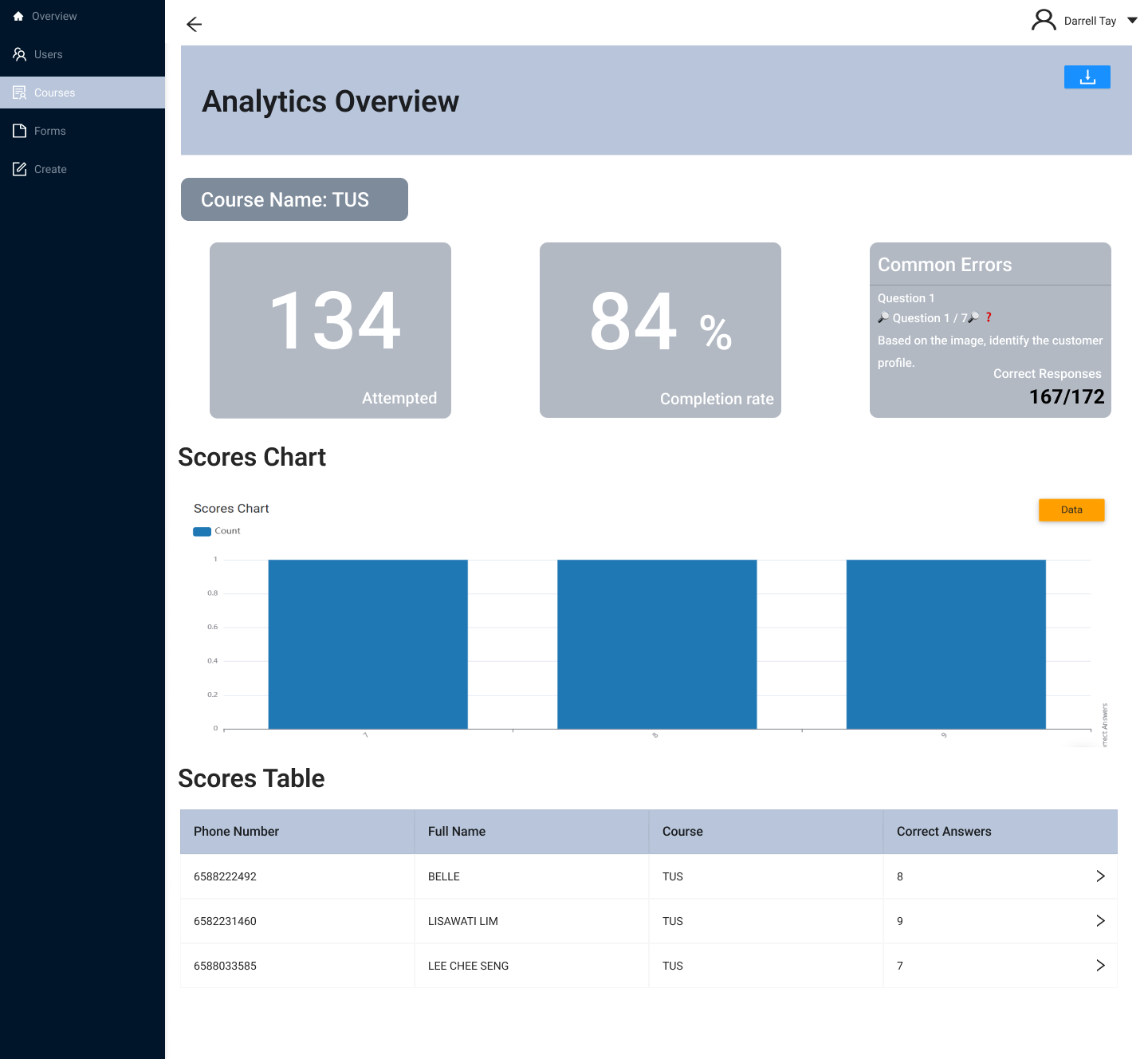
Introducing an early analytics overview
Working within the original console’s constraints, I designed an early analytics overview bringing attempted responses, completion rate, common errors, score distribution and learner-level results into one reporting view.
This was a first structure for understanding response data, which I later revisited during the broader redesign so different response types could use more appropriate charts and tables.
REDESIGN EVOLUTION
From an existing console to a clearer product model
I first mapped the existing console, then used that understanding to restructure JoyForm around clearer tasks.
01 — UNDERSTANDING THE STARTING STRUCTURE
Mapping the existing console
I mapped the existing course, employee and account flows to make the product structure visible. This exposed fragmented paths, missing states and unclear transitions that needed to be resolved.
I created this map after joining to document the structure of the original console, which predated my involvement.
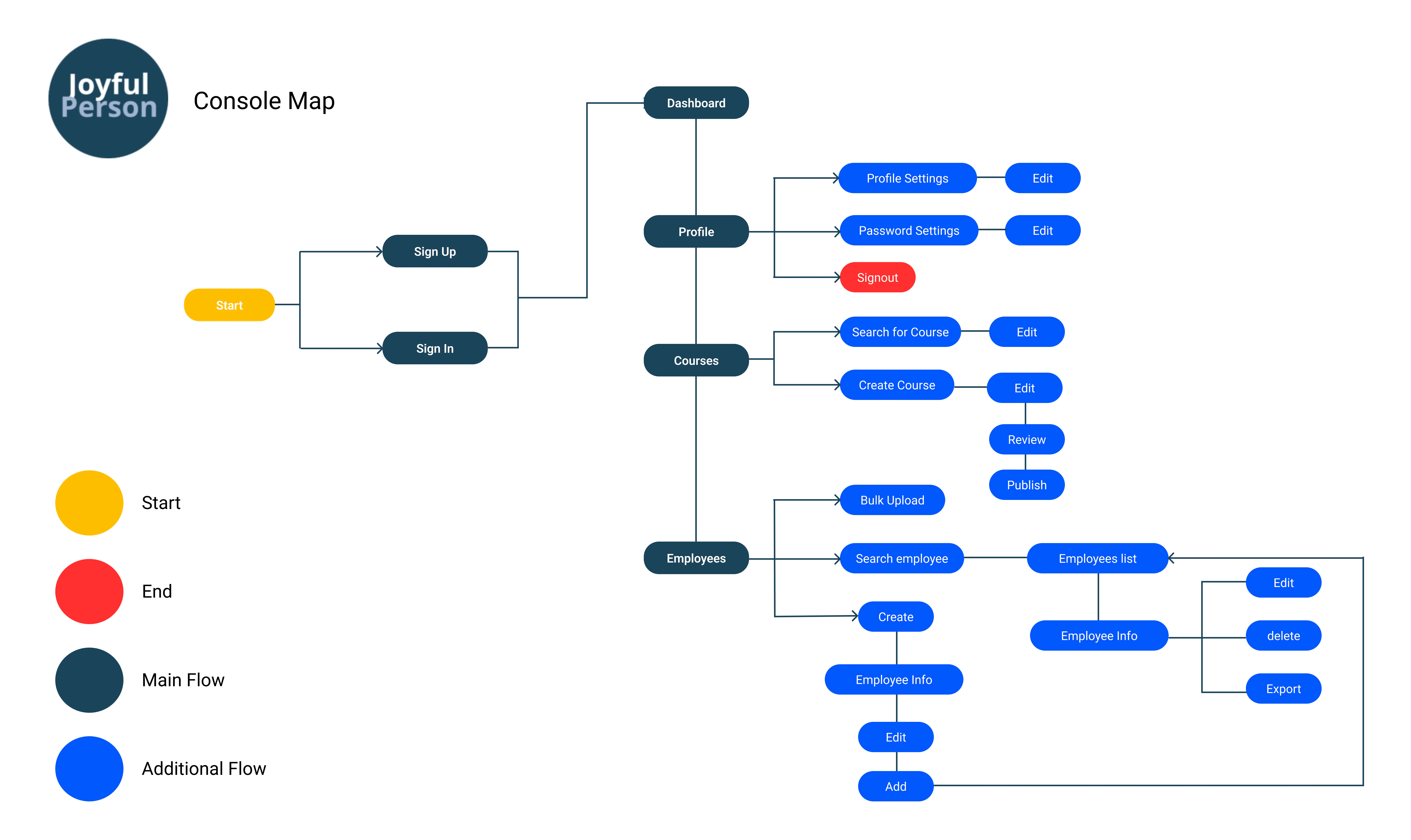
I created this map after joining to document the structure of the original console, which predated my involvement.
Before
Course, form and account flows were fragmented, while sharing sat separately from creation.
After
I reorganised creation, sharing, analytics and account management into one connected model, giving design and engineering a shared reference for screens and reusable interaction patterns.
02 — DEFINING THE REDESIGNED PRODUCT MODEL
A clearer hierarchy for the product
The map pointed to a clear priority: creation and sharing belonged together as one core workflow, and analytics deserved equal footing rather than sitting as a secondary report. Integrations and account settings stayed one tier down, supporting that core without competing with it.
Primary workflows
Form creation and sharing
The core task loop—building and distributing a form—remained the most prominent workflow.
Analytics
Reviewing responses sat alongside creation as an equally primary workflow, rather than being treated as a secondary report.
Supporting capabilities
Integrations
Connected channels and tools supported the core workflow without competing with it.
Account settings
Account-level configuration remained accessible but stayed out of the way of day-to-day form work.
What informed the redesign
Introducing lightweight usability testing.
JoyForm was early-stage, so I worked with the evidence available: recurring questions from sales colleagues, client demonstrations, discussions with the CTO and engineers, and task-based usability sessions I introduced after major iterations, since no testing practice existed before I joined.
Complete realistic tasks
Participants worked through key tasks without step-by-step guidance, showing whether the intended journeys and interactions were understandable.
Observe points of friction
I observed where participants hesitated, what they expected to happen and which labels, hierarchy or feedback states caused confusion.
Refine later iterations
I combined these observations with recurring sales questions and client-demo feedback to guide later design changes.
Participant context
I first tested with team members who had not seen the latest designs, then with sales colleagues familiar with recurring customer questions.
These sessions were not a substitute for research with representative external users. They provided a practical way to surface usability issues within the access and time available.
Three featured design decisions
Each decision traces one issue from the evidence, to what I changed, to where it stands now.
01
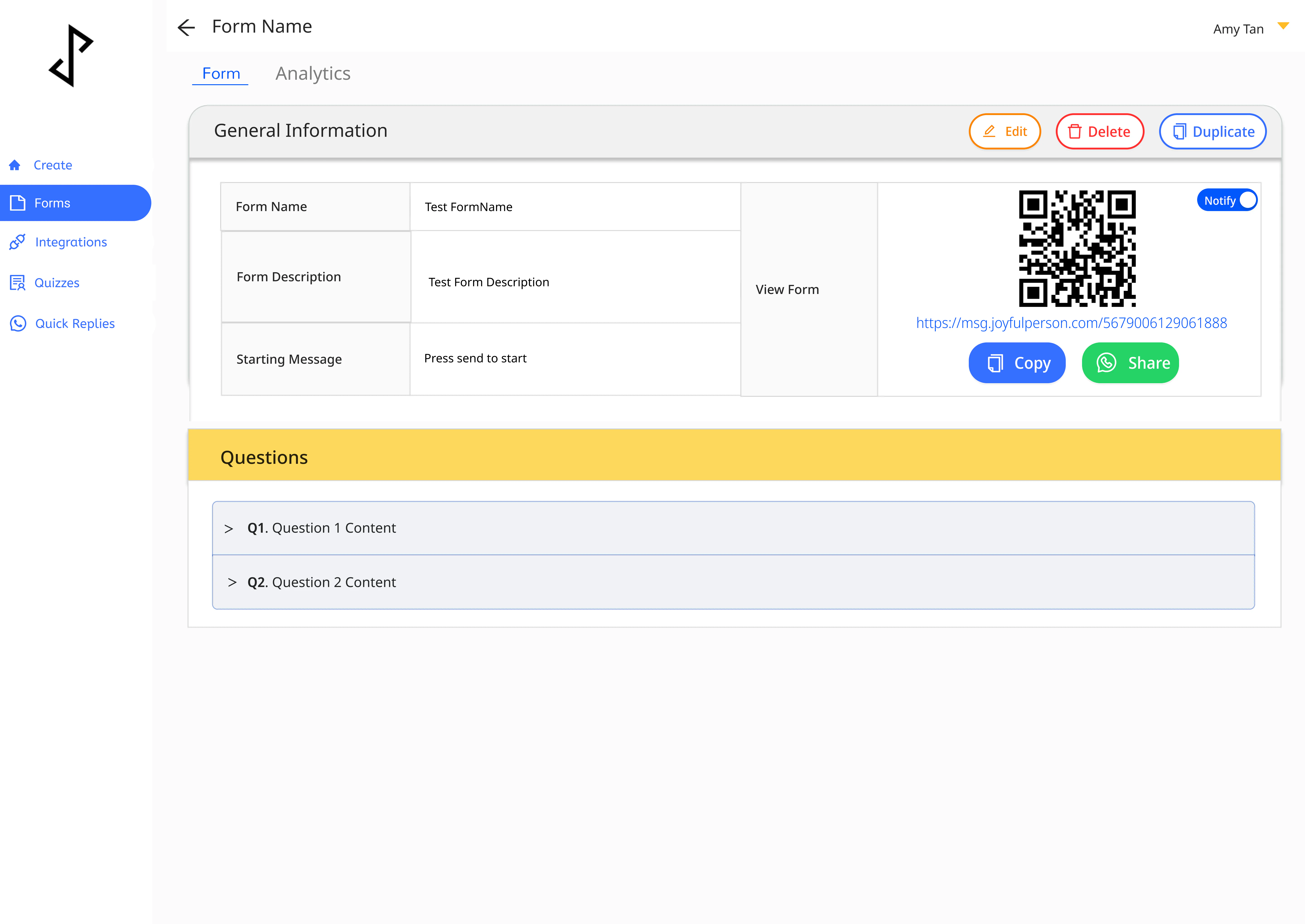
Making sharing easier to find and more flexible
- EvidenceIn usability sessions, participants sometimes hesitated when looking for how to distribute a finished form. Sharing offered one method and sat outside the creation journey, so users were often unsure where to go next.
- DecisionI made sharing part of publishing. Users could share straight after publishing or return to the same options from each form’s page, choosing WhatsApp, a downloadable QR code, a copyable link or a website embed.
DESIGN OUTCOME
Sharing read as the next step after publishing rather than a separate task to find, keeping creation, management and distribution in one place. Designed for the web console; the August 2026 audit did not re-check this flow individually.
02
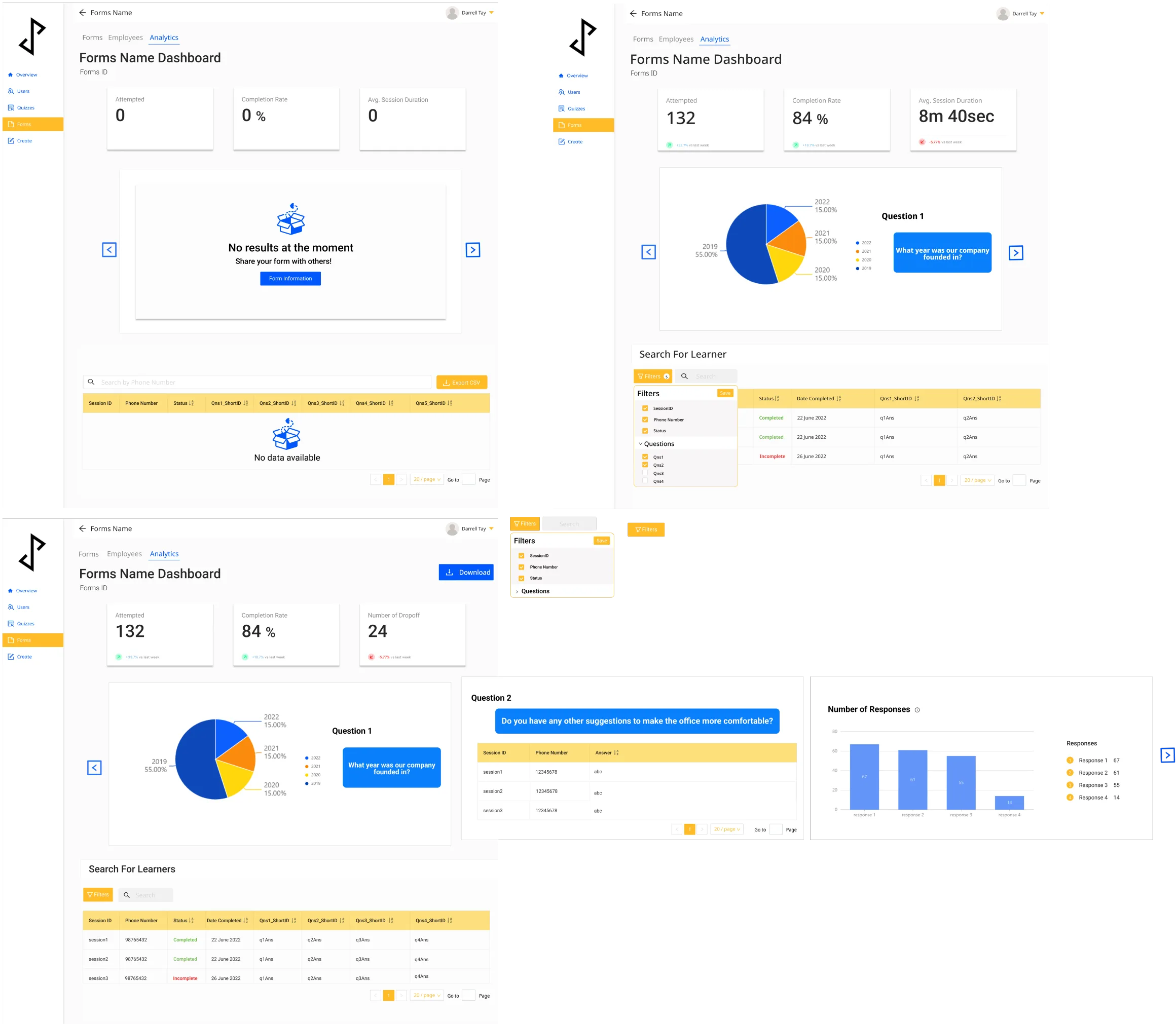
Matching analytics to the response type
- EvidenceMy early analytics overview, created after customers asked to review course results, displayed every response the same way. Choice-based, count-based and open-ended answers each needed a different kind of reading.
- DecisionChoice-based responses use distribution charts to show proportions, comparable counts use bar charts, and open-ended responses use a structured table with search and filters for larger sets.
- Why this directionI moved away from one universal results view because different response types required different levels of comparison and detail.
DESIGN OUTCOME
Each view matched what users needed to learn from that response type, supporting both quick comparison and detailed review. Designed for the web console; the August 2026 audit did not re-check this flow individually.
03
Adapting form creation for mobile
- EvidenceDemand for mobile access was growing, but form creation involves repeated fields, question ordering, previewing and sharing. A shrunken desktop console would have made these hard to manage on a touch screen.
- DecisionI prototyped mobile-specific patterns for navigation, adding and reordering questions, previewing and reaching sharing controls, then ran early internal usability checks on account creation, form creation, previewing and sharing.
DESIGN OUTCOME
The prototype kept the desktop product’s structure while adapting controls and task progression to touch. It was still a prototype when I left.
01Start
VISUAL DIRECTION
Defining JoyForm’s visual direction
From moodboard to a practical mini style guide.
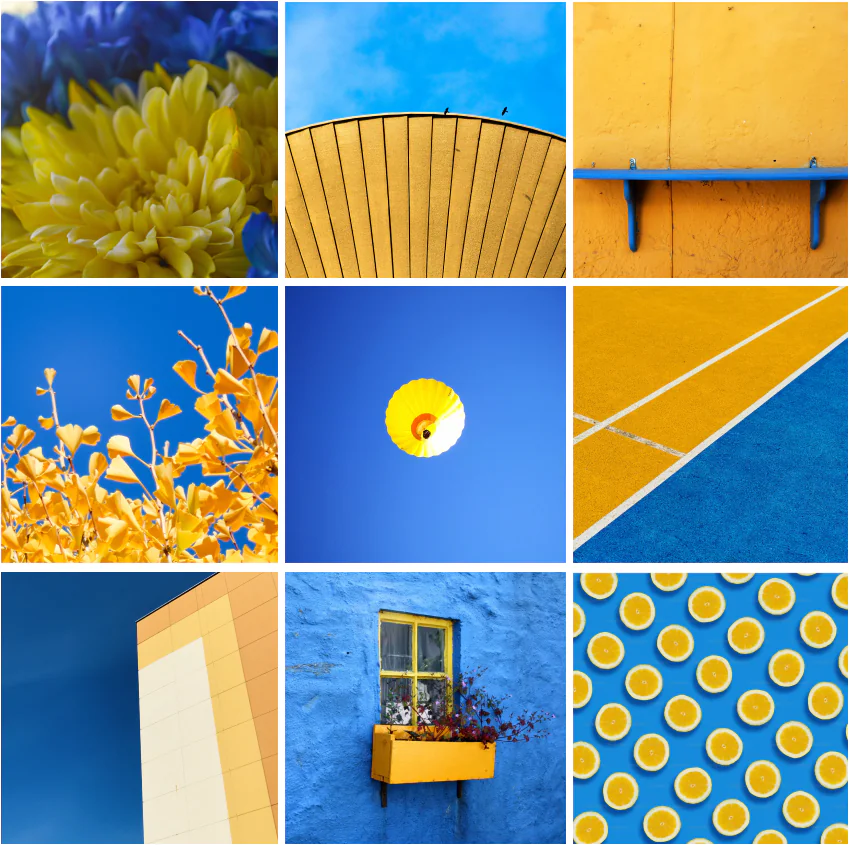
The existing product had no defined visual direction. I used a moodboard to align with leadership on JoyForm’s personality: blue gave navigation and primary actions a dependable foundation, yellow added warmth, and Noto Sans kept labels and form content readable across screen sizes.
I documented these choices in a mini style guide covering the core palette and typography — not a full design system, but enough to keep the redesigned screens consistent and give engineering a clear implementation reference.
Exploring the visual mood
I used a moodboard to explore how blue and yellow could make the product feel clear, optimistic and approachable.
Translating the direction into UI guidance
The selected palette and Noto Sans typography were documented as a practical reference for applying the visual direction consistently across the redesigned screens.
Mini visual guide
A lightweight reference for applying JoyForm’s visual direction consistently across the redesigned screens.
Typeface
Colour palette
WIDER PRODUCT WORK
Selected interface work
Beyond the three decisions, I designed across JoyForm’s core workflows, supporting features and product states, extending the same navigation, hierarchy and interaction patterns.
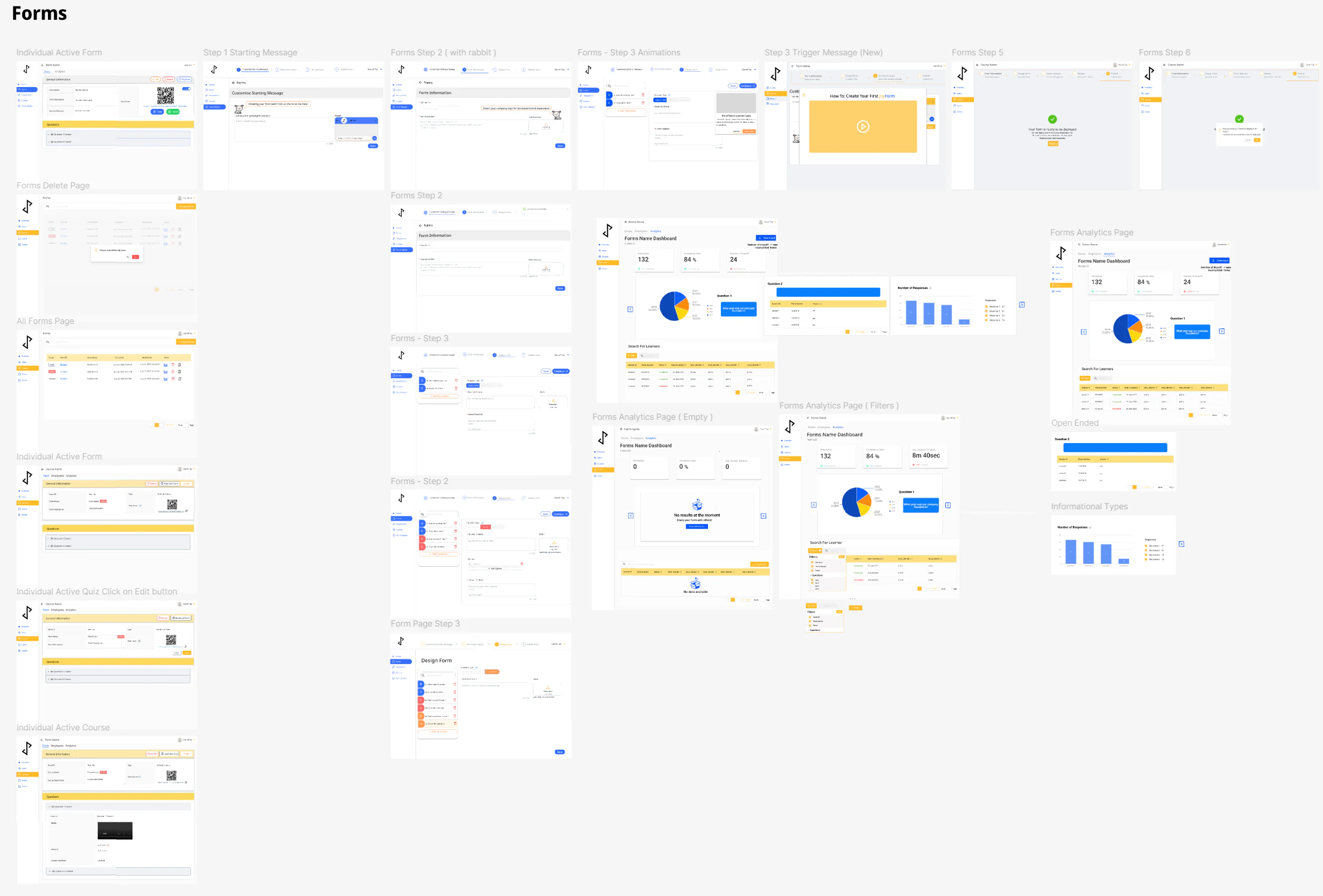
Supporting the wider product experience
01 ACCOUNT ACCESS
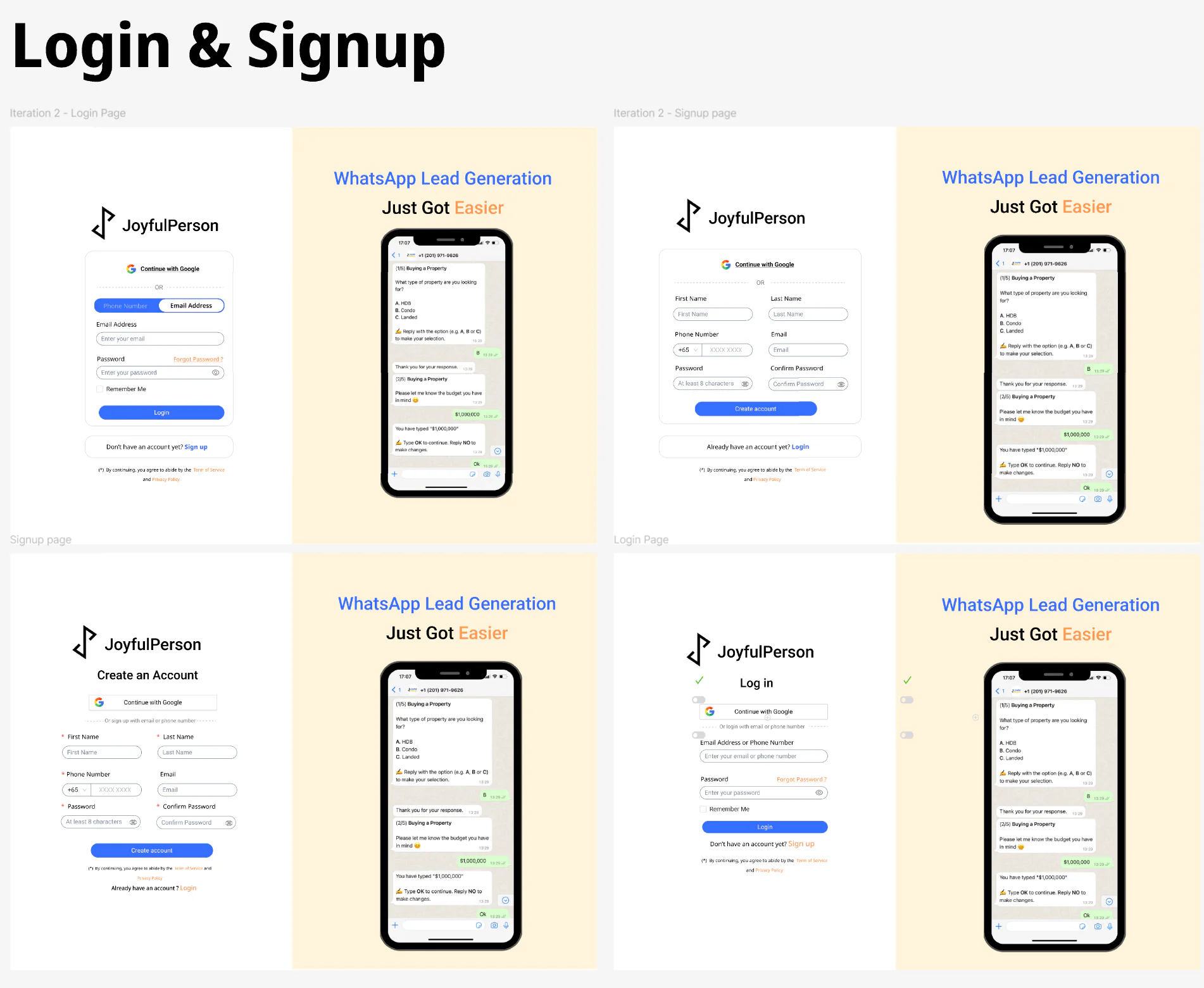
Supporting flexible account access
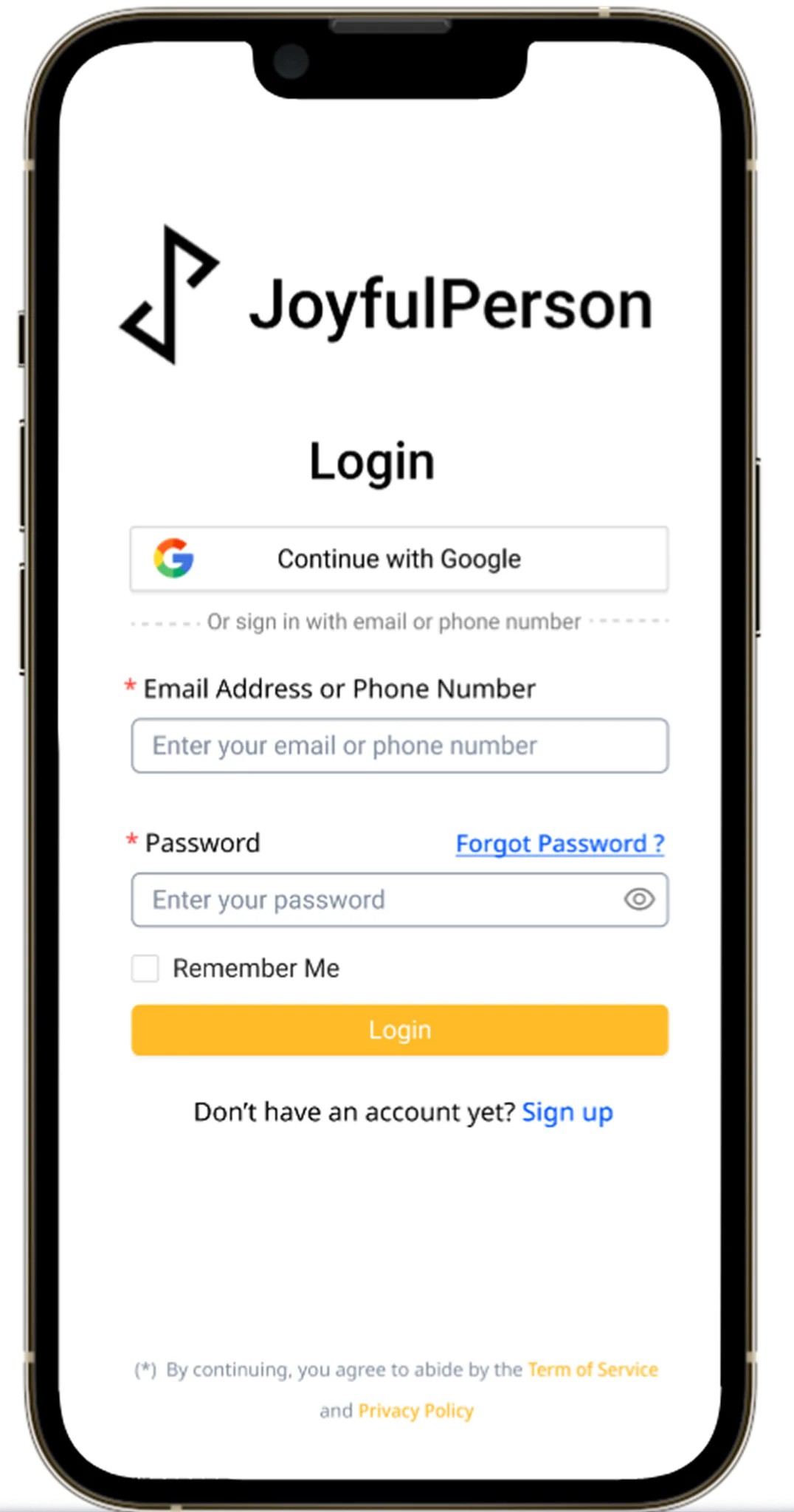
I designed login and sign-up for email, phone-number and Google access, covering validation, error and success states.
02 VERIFICATION & RECOVERY
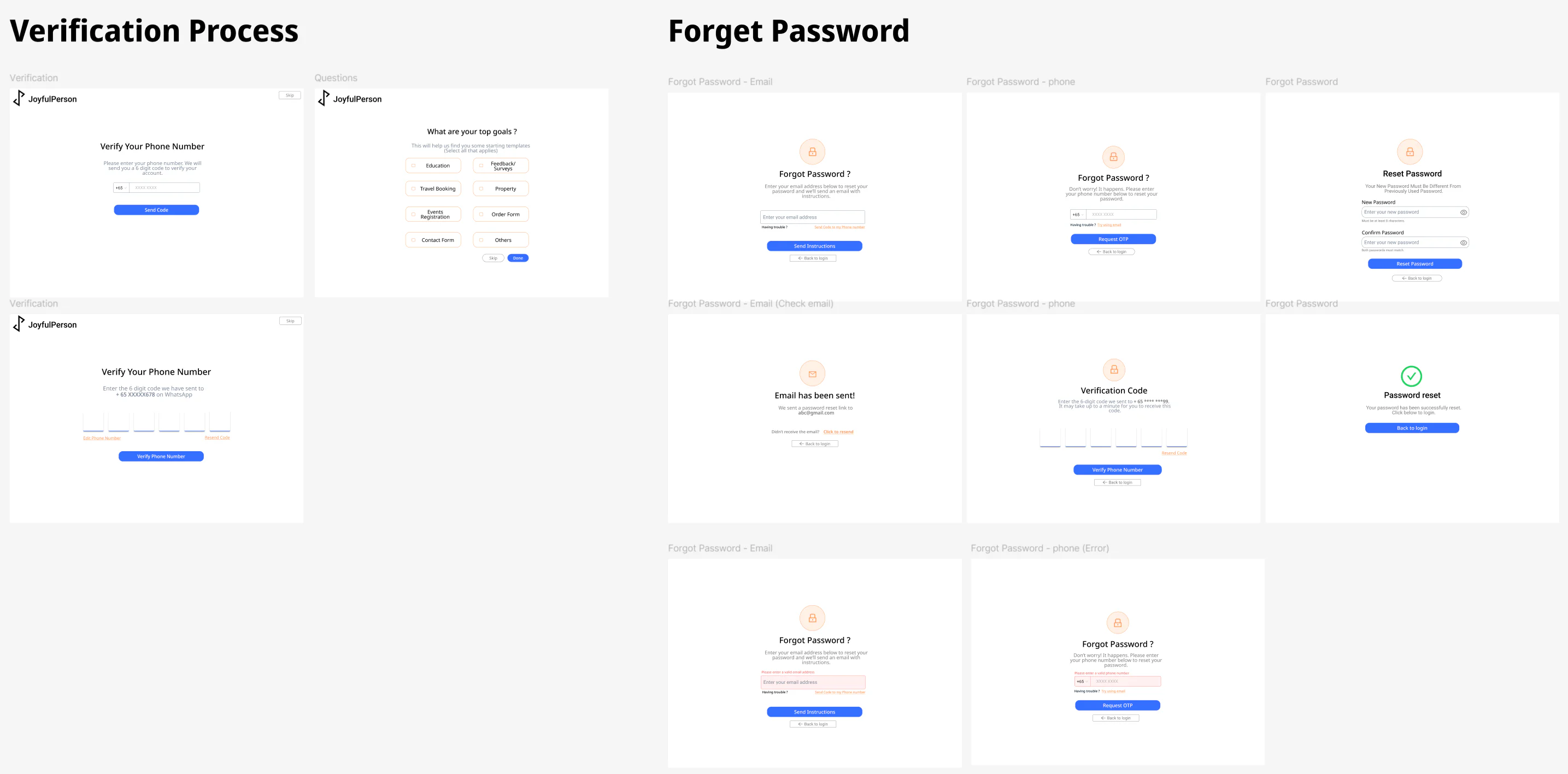
Mapping verification and recovery states
I mapped phone verification and password recovery via email or phone — request, confirmation, error and success states — giving users clear routes back into locked accounts.
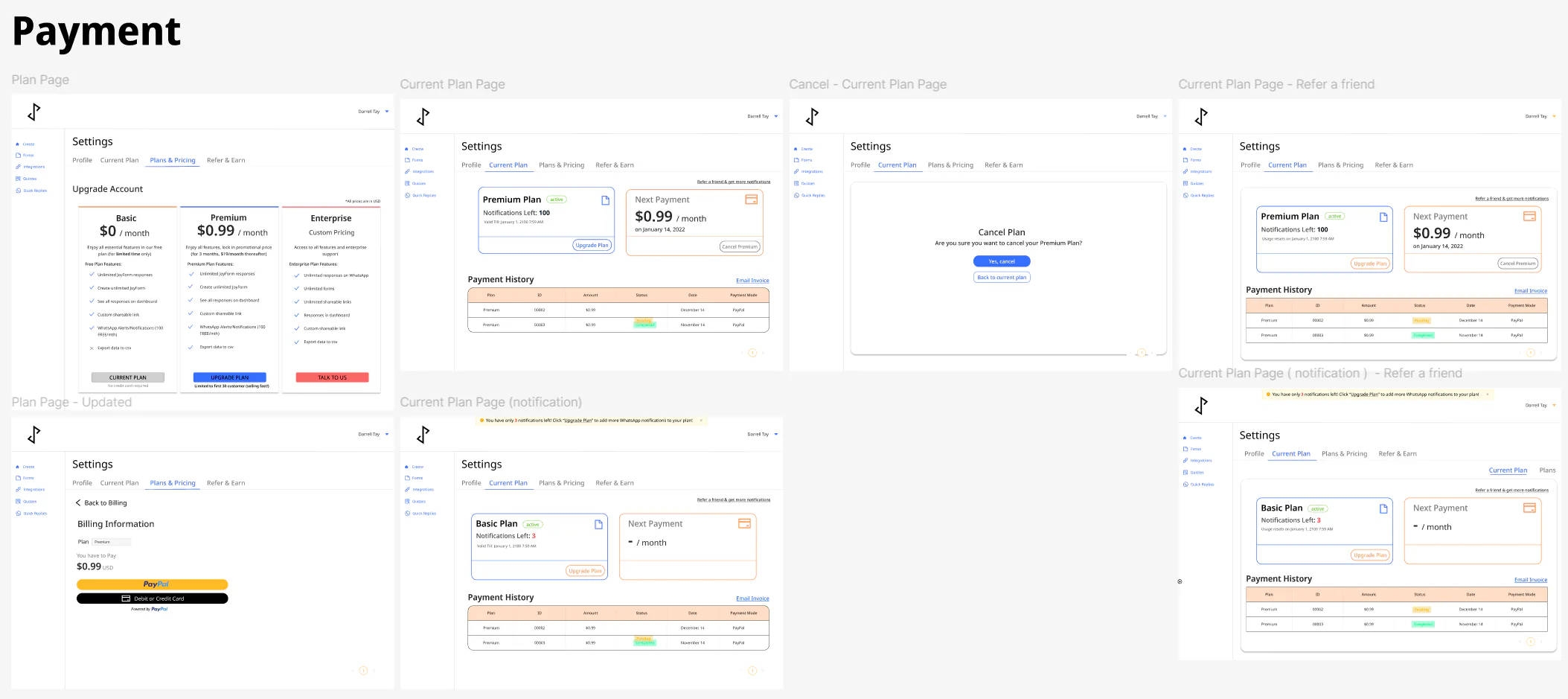
03 PLANS & PAYMENT
Clarifying plans, usage and payment
For plan management, I explored presenting entitlement, plan comparison, payment history and upgrade or cancellation actions within one clear hierarchy.
04 REFERRALS
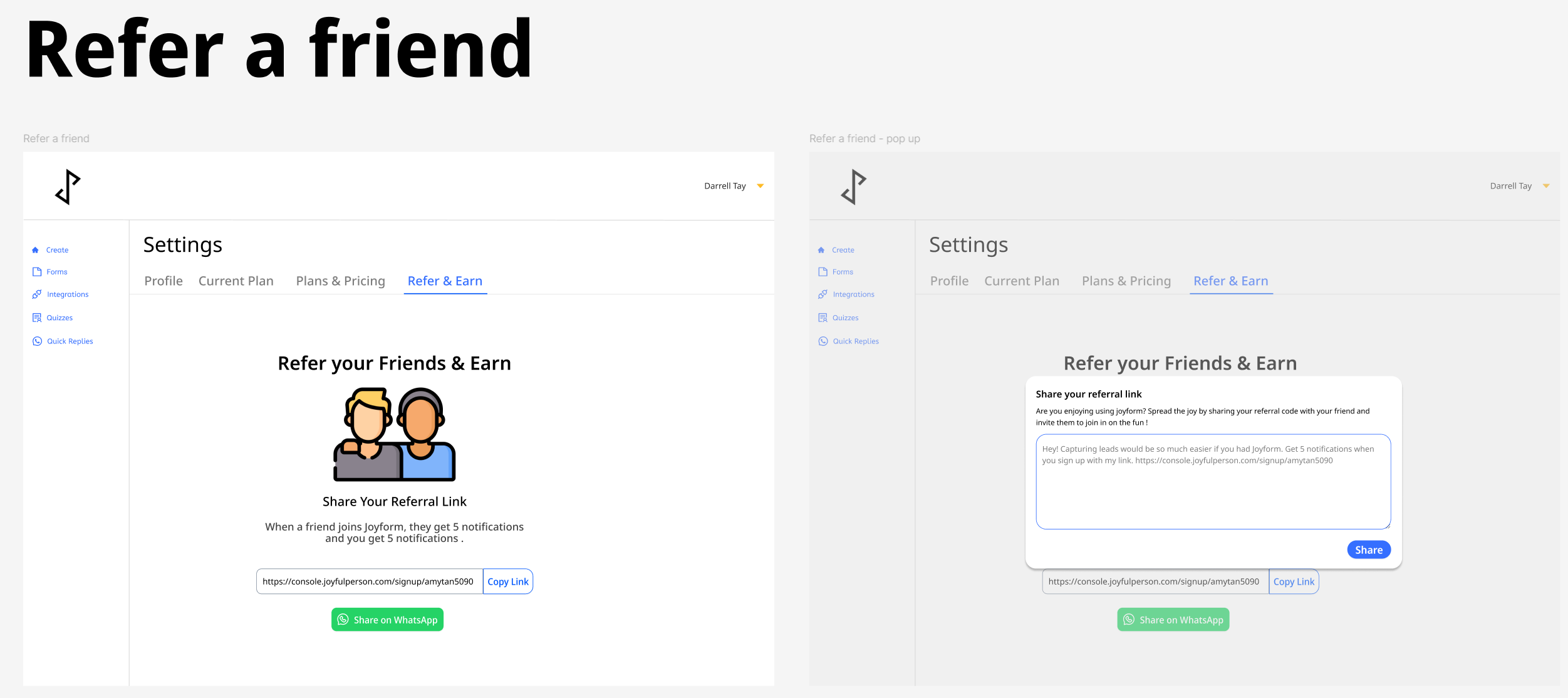
Making referrals easy to share
I designed a referral flow for copying a personalised invitation link or sharing it on WhatsApp, with the benefit to both sender and recipient made clear.
05 GOOGLE FORMS INTEGRATION
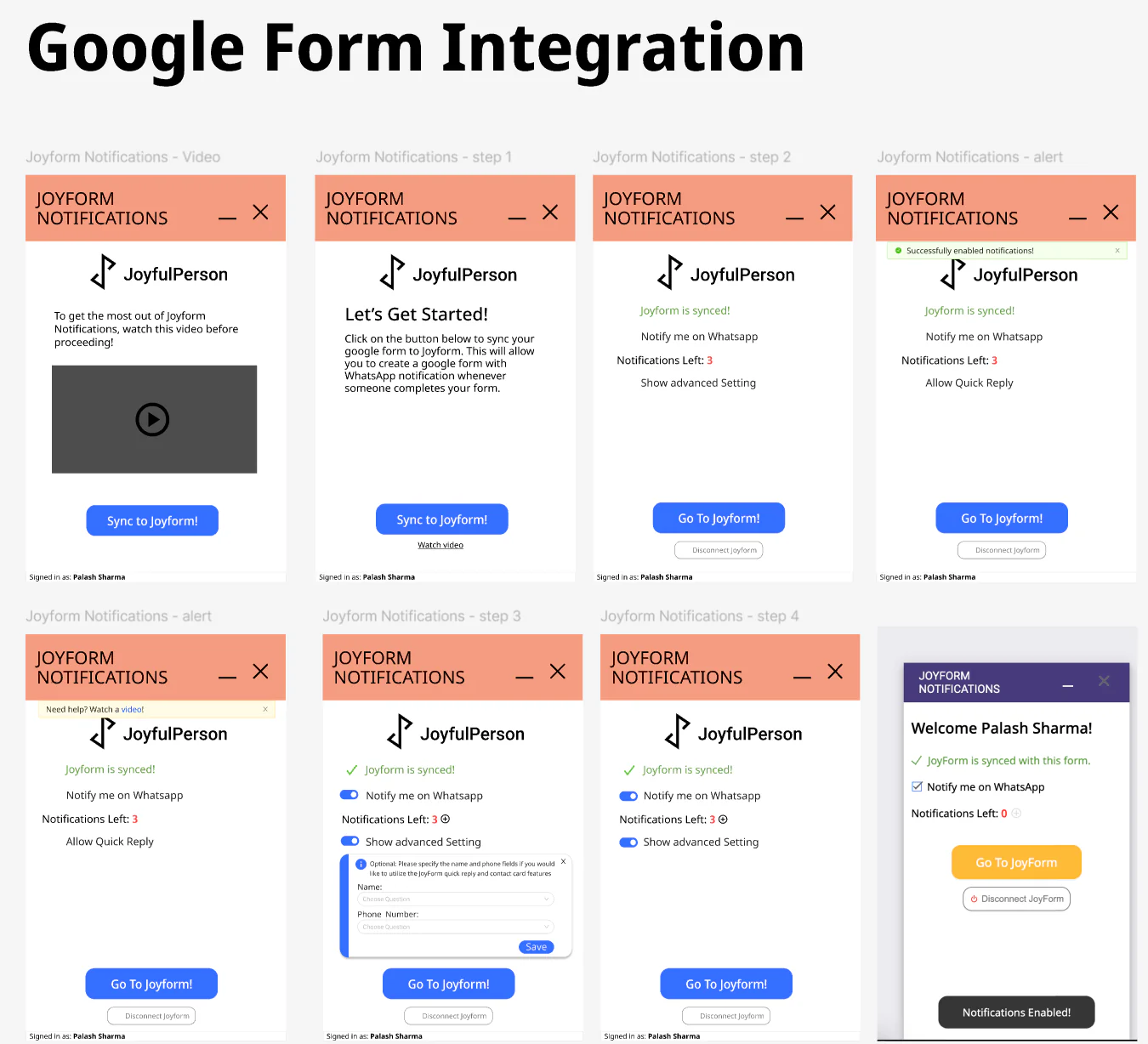
Connecting Google Forms to WhatsApp
I designed the Google Forms integration, where JoyForm Notifications connected a synced form to WhatsApp so users got an alert on every response — covering onboarding, connection states, field mapping and recovery guidance.
Outcome and evidence
Outcome
During my internship, I helped move JoyForm from developer-led screens towards a coherent product, and set up lightweight design practices — task-based testing, annotated handoff and a shared visual reference — the team could keep using as it evolved.
Live-product audit · 1 August 2026
Based on my review of the live console on 1 August 2026, the home page, core creation flow, loading experience, quiz library, integrations, billing and template experiences continued to retain layouts or interaction patterns from my work. JoyForm has evolved since I left, with additional pages and features subsequently introduced by the team.
Not confirmed in that review: the mobile creation flow, which I prototyped and checked internally, and the individual sharing and analytics flows featured above.
View the current JoyForm console (opens in a new tab)Sign-in may be required. The live product reflects subsequent changes made after my internship.
How I assess the contribution
Product analytics weren’t configured to attribute quantitative change directly to the redesign, so I assess the contribution through the scope implemented, usability observations, stakeholder and client-demo feedback, and the continued presence of these patterns in the live product.
REFLECTION
Designing clarity while the product was still evolving
Key takeaway
Being JoyForm’s first dedicated designer taught me that designing a product also meant creating clarity for the team building it — a lesson that has shaped how I’ve worked since. I now start every project by clarifying the user need and business goal a feature must support, then choose whichever activities most reduce the uncertainty around it.
Working through ambiguity
Requirements were still changing, so I learned to make decisions with the evidence available, document assumptions and communicate the reasoning behind each design choice to technical and business stakeholders.
What I’d do differently
Testing relied on internal colleagues rather than representative external users, with no way to measure impact quantitatively. I’d recruit external participants earlier and instrument analytics before redesigning next time.
A style guide is not a design system
The colour and type guide gave the team a consistent starting point, but it wasn’t a mature design system with documented components, tokens or governance — a distinction I now name carefully in every project.
Next project
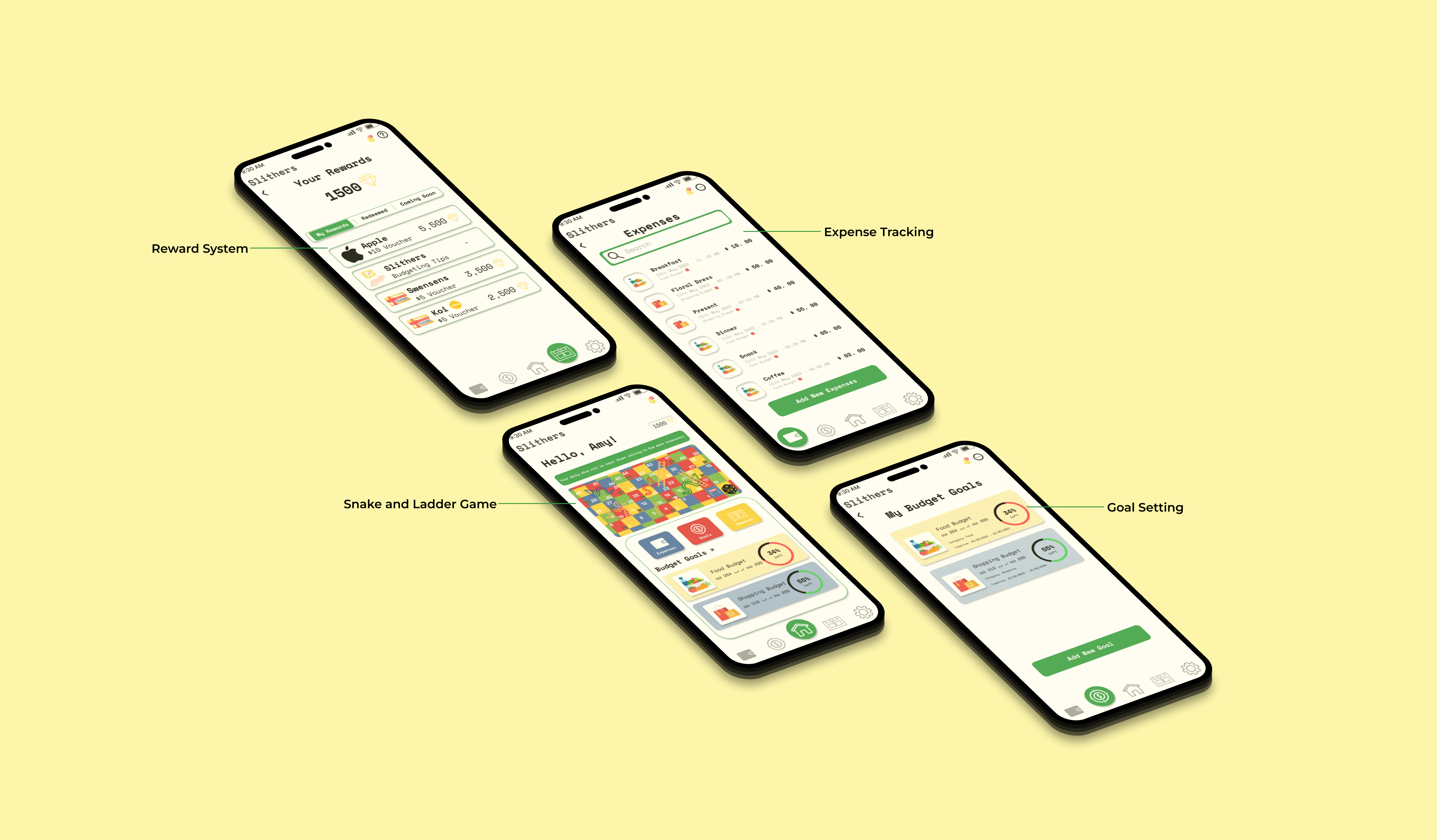 Slithers